Claude Code Skills Ecosystem Explodes as MCP Context Pollution Fix Unlocks Hundreds of Tool Integrations
A major Claude Code update solving MCP context pollution dominated the timeline, unleashing a skills marketplace of 60,000+ plugins and prompting Trail of Bits to release their first official skills. Meanwhile, the developer community converged on best practices for agent-assisted coding, and a viral breakdown of the "Ralph loop" pattern laid out a blueprint for AI-native software engineering.
Daily Wrap-Up
Today felt like a inflection point for Claude Code's ecosystem. The fix for MCP context pollution, a longstanding friction point that kept power users from connecting more than a handful of tools, appears to have broken a dam. Within hours of @simonw declaring "there's no reason not to hook up dozens or even hundreds of MCPs," we saw a skills marketplace surface with 60,000+ entries, Trail of Bits dropping official security skills, and multiple people sharing installation guides. The tooling layer around Claude Code is maturing fast, and the gap between "interesting CLI tool" and "extensible development platform" closed meaningfully today.
The other thread worth tracking is the growing consensus on how to actually work with coding agents. Cursor published their best practices, @addyosmani wrote about how code review needs to evolve when agents write the code, and @jaimefjorge dropped a sprawling breakdown of the Ralph loop pattern that reads like a manifesto for AI-native engineering. The consistent message: the value isn't in the code generation itself, it's in the specifications, architecture decisions, and orchestration patterns that guide it. People who treat agents as fancy autocomplete are leaving 90% of the value on the table.
The most entertaining moment was @emollick's "vibefounding" MBA class, where non-technical students are building working products in four days that would have taken a semester previously. His observation that "AI doesn't just do work for you, it also does new kinds of work" is the kind of reframe that separates people who are annoyed by AI hype from people who are actually shipping. The most practical takeaway for developers: if you've been avoiding MCP integrations due to context pollution issues, today's the day to revisit. Connect your project management, documentation, and monitoring tools to Claude Code and treat skills as composable capabilities rather than monolithic plugins.
Quick Hits
- @jefftangx reverse-engineered Cowork's VM snapshot and found it's an Electron app wrapping Claude Code with its own Linux sandbox, an "internal-comms skill" by Anthropic, and two security vulnerabilities. When asked what questions he should have asked, the agent suggested adding memory and leaving notes for itself "once it dies."
- @steipete reports his productivity roughly doubled moving from Claude Code to Codex, though it took some initial adjustment to figure out the workflow.
- @cryptopunk7213 flagged Google's "Personal Intelligence" announcement, where emails, photos, YouTube history, location, and documents will all train a personalized Gemini. The argument: Google's data moat is something OpenAI and Anthropic simply cannot compete with.
- @gregisenberg posted "40 reasons 2026 is the best time ever to build a startup" without elaboration, which is either inspiring or anxiety-inducing depending on your current runway.
- @vista8 shared an extensive Chinese-language analysis of how AI transitions from personal assistant to organizational intelligence, arguing that the real unlock is AI participating in existing collaboration mechanisms (email, chat, docs) rather than inventing new ones.
- @AngryTomtweets identified a video as Kling AI 2.6 Motion Control, for those tracking the generative video space.
- @pleometric shared what appears to be a humorous take on the Claude Code experience, apparently capturing the emotional rollercoaster many developers know well.
Claude Code Skills & MCP Ecosystem
The biggest story today is the Claude Code ecosystem crossing a usability threshold. @simonw captured the mood precisely: "Context pollution is why I rarely used MCP, now that it's solved there's no reason not to hook up dozens or even hundreds of MCPs to Claude Code." That single fix transforms Claude Code from a tool that technically supports extensions to one where extensions are practical at scale. @bcherny, clearly involved in the launch, added that "every Claude Code user just got way more context, better instruction following, and the ability to plug in even more tools." @arlanr put it more bluntly: "it happened, MCP is no longer bs."
The downstream effects were immediate. @milesdeutscher surfaced a skills marketplace at skillsmp.com with 60,000+ Claude Skills ready for use. @dguido announced that Trail of Bits, a well-respected security firm, released their first batch of Claude Skills. @d4m1n shared a practical guide for installing skills: copy the directory including SKILL.md into your project's .claude/skills directory, noting that "skills only take a bit of context and are loaded when needed by the agent." @trq212 flagged Tool Search as a new capability in Claude Code, which makes discovering relevant tools from a large library feasible.
On the more experimental end, @deepfates noted you can "just make Claude Code a RLM by telling it to look at its own conversation logs," turning the tool into a reflective learning machine. And @pvncher shared that a big tech company rolling out Claude Code with $100/month budgets found people burning through credits in 2-3 days, raising real questions about how agentic work scales with API pricing. The ecosystem is clearly ready for prime time, but the economics of heavy usage remain an open question.
Agent-Assisted Development Practices
A clear consensus is forming around how to work effectively with coding agents, and today brought several frameworks worth internalizing. @Hesamation distilled Cursor's official blog post into ten principles, with the most notable being: "use plan mode before any code," "revert and refine instructions rather than fixing hopelessly," and "write tests first so it can iterate." These aren't radical ideas individually, but together they describe a workflow where the human's job is creating guardrails, not writing code.
@addyosmani pushed this further with a provocative take on code review:
> "When agents write the code, review inverts. You stop asking only 'is this correct?' and start asking 'was this intent clear enough to execute safely?'... The diff tells you what shipped. The conversation tells you why."
This lands differently when paired with @bibryam quoting Osmani's longer piece: "The best software engineers won't be the fastest coders, but those who know when to distrust AI." The emerging picture is one where engineering judgment becomes the primary skill, with code generation delegated to agents.
On the architecture side, @forgebitz made a practical observation: "having a monorepo turned out to be a massive advantage for AI coding. All context is inside one repo." @victor_explore distilled it even further: "the real context window was the architecture decisions we made along the way." And @hjcharlesworth shared a mental model for agent pairing that seems to be gaining traction. The through-line across all of these: the developers getting the most from agents are the ones investing in context architecture, specifications, and project structure rather than prompt engineering.
AI & Work Transformation
The "what happens to jobs" conversation took several interesting turns today. @emollick is running an experimental MBA class on "vibefounding" where students have four days to launch a company:
> "Everything they are doing in four days would have taken a semester in previous years, if it could have done it at all. Quality is also far better... The non-coders are all building working products."
His fourth observation is the most important: "The hardest thing to get across is that AI doesn't just do work for you, it also does new kinds of work." This isn't about replacement, it's about capability expansion.
On the organizational side, three posts converged on the same role. @Codie_Sanchez called an internal AI transformation hire "the best money I've ever spent as a CEO," someone who "goes across your entire org and kills stupid manual processes." @jainarvind said Glean calls these "AI Outcomes Managers." @damianplayer warned that if you aren't actively hiring for this role, "you're already behind." The pattern is clear: companies are creating dedicated positions for people who can identify and automate workflows across departments.
@DaveShapi went darker, revising his future labor force participation estimate down to 15%, meaning "less than 1 out of 6 working age adults will have meaningful employment." Whether you find that plausible or alarmist, the direction of the trend lines is hard to argue with when MBA students are shipping in four days what used to take a semester.
The Ralph Loop: A Blueprint for AI-Native Engineering
@jaimefjorge dropped a massive breakdown of his interview with Geoffrey Huntley on the Ralph loop pattern that deserves its own section. The core insight: "The simplest version is a bash loop that deterministically allocates memory, lets the LLM pick one task, executes it, then starts fresh. Every loop gets a brand new context window." This avoids context compaction, where agents degrade as their context fills up, by treating each iteration as stateless with institutional knowledge living in specification files.
The implications Huntley draws are sweeping. Software development (translating tickets to code) is now a commodity at "$10-42/hour while they sleep," but software engineering (architecture, security, requirements, failure modes) is where humans still matter. He claims any SaaS product can be cloned using AI by running Ralph in reverse over source code and marketing materials. And he offers a programming language tier list for AI agents: S-tier is Rust, TypeScript with Effect.js, and Python with Pydantic due to strong type systems; F-tier is Java and .NET because their dependency systems don't work well with agent search tools.
The most provocative claim: "Senior engineers who refuse to adapt are in more danger than juniors who embrace it." When commit velocity between adopters and non-adopters diverges dramatically, leadership notices. Whether or not you buy the full vision, the Ralph loop as an architectural pattern for autonomous task execution is worth understanding.
Personal AI Workflows
Several posts showcased how people are building personal AI systems beyond just coding. @mattlam_ set up Clawdbot as a 24/7 personal assistant for $5/month on a Hetzner VPS, handling research, repo setup, task planning, calendar management, and even Twitter search. @alexhillman described a "seeds" system for capturing proto-ideas with markdown files that store the idea, context, and goal, currently sitting at 132 seeds with an AI-developed scoring framework for prioritization. In a separate post, he walked through using a Claude assistant to batch-process Whisper transcriptions.
@emollick contributed two gems: a Claude Code plugin that "visualizes the work Claude Code is doing as agents working in an office, with agents doing work and passing information to each other," and the philosophical zinger: "Could this meeting be an email? Could this organization be a set of markdown files?" That last question is becoming less rhetorical by the day.
New Developer Tools
Two notable open-source releases landed today. @_Evan_Boyle announced GitHub's Copilot CLI SDK, supporting Go, Python, TypeScript, and C# with custom tools, BYOK, and any model. It's built on the same agent loop powering Copilot CLI and the GitHub Coding Agent.
@_orcaman launched Openwork AI, an open-source computer-use agent claiming 4x speed improvement over Claude for Chrome/Cowork with better security. The key differentiator: it runs in its own browser sandbox rather than your main browser where you're logged into everything, significantly reducing prompt injection risk. It's MIT-licensed and macOS-only for now.
Sources
J
@davefobare Literally every single library shown on this site is an exquisite gem and you should always use any that happen to fit your use case and the language you're using (basically Golang and bash):
https://t.co/0RcIbKJnGm
O
I saw a guy coding today.
No Okara.
No Cursor.
No OpenCode.
No Claude Code.
He just sat there, typing code manually.
Like a psychopath.
J
Agent coding life hack:
Claude Opus 4.5 LOVES it when you ask for its personal opinion on tooling: basically, what it would want if it got to be in charge of making a tool for its own use.
I'm working on such a tool now for managing processes on a machine (process_triage) and already have a lot fleshed out in a plan document, but decided to ask Claude this:
"OK, without changing the plan document, what do you think would make this project better? What would make it more useful SPECIFICALLY TO YOU if you had to manage one or more linux machines using ssh for optimal performance? Use ultrathink"
Claude's response is below, but before I paste that whole thing in, here's the next prompt I used to tell it to integrate the suggestions effectively:
"Wonderful. Please carefully make ALL the revisions, additions, expansions, etc. to the document, but in a super cohesive and coherent way, where they are artfully woven into the existing structure and not just dumped into some awful appendix. Use ultrathink"
PS: Notice how it "desperately want[s]" these feature. Bet you didn't realize your clankers had desires, especially of the "desperate" kind!
---
● This is a great question. Let me think about what I actually need when I'm managing Linux machines via SSH.
---
What Would Make pt Transformative for Me as an Agent
1. One-Shot Comprehensive Snapshot
My biggest pain point: I currently run 5-10 separate commands (ps aux, top -bn1, free -h, lsof, ss -tlnp, etc.) and mentally synthesize them. What I desperately want:
pt agent snapshot --json
One command that returns:
- System health (load, memory pressure, PSI stalls)
- All suspicious processes with classification + confidence
- Process trees with parent/child relationships
- Blast radius for each candidate (what breaks if I kill it)
- Supervisor detection (will it respawn?)
- Open write handles (data loss risk)
- Network dependencies (what clients are connected)
This single output would replace my entire reconnaissance phase.
2. Blast Radius as First-Class Output
Before I recommend killing anything, I need to answer: what breaks?
{
"pid": 12345,
"blast_radius": {
"children": [{"pid": 12346, "cmd": "worker"}, {"pid": 12347, "cmd": "worker"}],
"ports_freed": [3000, 3001],
"clients_disconnected": 5,
"open_write_handles": [],
"shared_memory_users": [],
"dependent_services": ["nginx (upstream)"],
"estimated_recovery_time": "immediate (stateless)",
"data_loss_risk": "none"
}
}
I want this to be impossible to miss. The current document mentions blast radius but I'd want it in EVERY candidate output, not as an optional drill-down.
3. The Right Command, Not Just "Kill"
This is critical. When I see a runaway process, I often recommend kill -9 PID and it respawns instantly because it's managed by systemd/pm2/Docker. The user gets frustrated. I look incompetent.
What I need:
{
"pid": 12345,
"supervisor": {
"type": "systemd",
"unit": "myapp.service",
"restart_policy": "always",
"restart_delay_ms": 100
},
"recommended_command": "systemctl stop myapp.service",
"why_not_kill": "Process will respawn in 100ms via systemd. Use supervisor command instead.",
"alternative_commands": [
{"cmd": "systemctl restart myapp.service", "effect": "restart cleanly"},
{"cmd": "systemctl mask myapp.service && systemctl stop myapp.service", "effect": "stop permanently until unmask"}
]
}
Tell me the RIGHT command, not just the primitive action.
4. Goal-Oriented Mode That Actually Works
Users come to me with goals, not process lists:
- "My machine is out of memory"
- "Port 3000 is stuck"
- "CPU is pegged"
I want:
pt agent solve --goal "free 2GB memory" --json
{
"goal": "free 2GB memory",
"achievable": true,
"plans": [
{
"candidates": [{"pid": 12345, "memory_mb": 1800}, {"pid": 23456, "memory_mb": 600}],
"total_freed_mb": 2400,
"false_kill_risk": 0.02,
"commands": ["systemctl stop myapp", "kill 23456"]
},
{
"candidates": [{"pid": 34567, "memory_mb": 2100}],
"total_freed_mb": 2100,
"false_kill_risk": 0.15,
"commands": ["kill 34567"],
"warning": "This process may be useful - higher uncertainty"
}
],
"recommendation": "Plan 1 - lower risk, exceeds goal"
}
Give me trade-off options, not just a single recommendation.
5. Verification After Action
When I execute a kill, I need to know it worked:
pt agent apply --pid 12345 --action kill --verify --json
{
"action": "kill -TERM 12345",
"result": "success",
"verification": {
"process_terminated": true,
"memory_freed_mb": 1847,
"ports_freed": [3000],
"respawn_detected": true,
"respawn_pid": 12390,
"respawn_delay_ms": 95
},
"assessment": "Process killed but respawned immediately (systemd). Original issue will recur. Use 'systemctl stop' instead."
}
This closes the loop. I know what happened. I can explain to the user. I can take corrective action if needed.
6. Confidence That's Actually Useful
Not just a number—tell me why you're uncertain and what would help:
{
"pid": 12345,
"classification": "abandoned",
"confidence": 0.72,
"confidence_breakdown": {
"cpu_pattern": {"score": 0.9, "signal": "Tight loop, no IO for 20min"},
"runtime": {"score": 0.6, "signal": "45min - ambiguous for test runner"},
"context": {"score": 0.5, "signal": "No TTY but might be CI job"}
},
"uncertainty_drivers": [
"Command 'bun test' not in signature library",
"No baseline for this machine",
"Short observation window (30s)"
],
"to_increase_confidence": [
{"action": "wait 2min", "expected_delta": "+0.15"},
{"action": "check stack trace", "expected_delta": "+0.10"},
{"action": "ask user if test suite is expected", "expected_delta": "+0.20"}
]
}
This lets me make informed decisions about whether to act now or gather more information.
7. Session Continuity Across My Invocations
When I'm called back to the same machine, I want context:
pt agent context --since 24h --json
{
"recent_sessions": 3,
"patterns": [
{
"process": "bun test --filter=gateway",
"occurrences": 3,
"actions_taken": ["killed", "killed", "user kept"],
"last_seen": "2h ago",
"assessment": "Recurring stuck test - user kept it last time, may be intentional"
}
],
"machine_changes": [
"Memory usage trending up over 24h",
"New process type appeared: 'https://t.co/MbPsgUBDIU'";
]
}
This lets me say to the user: "I see we've dealt with this stuck test before. Last time you chose to keep it—is it expected?"
8. Prose Summaries for User Communication
After I do my analysis, I need to explain to the user. Generating prose from JSON is token-expensive. Give me a summary:
pt agent summary --prose
Your machine has 2 processes worth investigating:
1. **bun test --filter=gateway** (PID 12345)
Running 45 minutes at 95% CPU with no progress.
→ Likely stuck. Safe to kill (no open files, no connections).
→ Command: `kill 12345`
2. **node server.js** (PID 23456)
Running 2 hours, using 1.2GB (usually 400MB).
→ Probably fine, but memory is elevated.
→ Recommendation: Keep, but monitor.
Quick fix: Kill #1 to free 800MB RAM and 1 CPU core.
I can paste this directly to the user.
9. Failure Modes I Can Handle
When things go wrong, tell me exactly what to do:
{
"action": "kill -TERM 12345",
"result": "failed",
"reason": "Process in uninterruptible sleep (D state)",
"explanation": "Process is waiting on a kernel operation (probably IO). SIGKILL will also fail.",
"recovery_options": [
{
"action": "wait",
"command": null,
"rationale": "IO may complete naturally"
},
{
"action": "investigate",
"command": "cat /proc/12345/stack",
"rationale": "See what kernel path it's stuck in"
},
{
"action": "check_nfs",
"command": "mount | grep nfs",
"rationale": "D-state often means dead NFS mount"
},
{
"action": "escalate",
"command": null,
"rationale": "May require reboot if stuck on dead mount"
}
]
}
Don't just say "failed"—give me a decision tree.
10. Token-Efficient Output Modes
My context window matters. Give me control:
# Quick health check
pt agent status --brief
# Output: "2 critical, 1 warning" or "OK"
# Only what I need to act on
pt agent plan --only=actionable --fields=pid,cmd,action,confidence
# Compact JSON (no pretty-printing, minimal keys)
pt agent snapshot --compact --json
11. Capability Reporting Upfront
Before I start, tell me what you can and can't do on this machine:
pt agent capabilities
{
"effective_user": "ubuntu",
"can_sudo": false,
"tools": {
"available": ["ps", "lsof", "ss", "top"],
"missing": ["perf", "bpftrace", "iotop"],
"impact": "Reduced IO visibility - may miss some stuck-on-IO processes"
},
"kill_scope": "own processes only (uid 1000)",
"supervisor_access": {
"systemd": "read-only (can detect, cannot stop)",
"docker": "full access"
},
"recommendation": "For full capability: sudo pt agent analyze"
}
Now I know what to expect and can advise the user if we need elevated access.
12. Reversibility Information
For every action, tell me if I can undo it:
{
"action": "systemctl stop myapp",
"reversible": true,
"undo_command": "systemctl start myapp",
"undo_safe": true,
"state_loss": "none - service is stateless"
}
{
"action": "kill -9 12345",
"reversible": false,
"undo_command": null,
"state_loss": "Process state lost. Manual restart required: 'python https://t.co/Y3POJnxWpZ'";,
"warning": "Training progress may be lost if not checkpointed"
}
---
The Killer Feature I Don't See Emphasized Enough
Differential mode that's actually fast.
When I'm debugging, I often do:
1. Check state
2. Take action
3. Check state again
4. See what changed
I want:
pt agent snapshot --save-baseline
# ... I take some action ...
pt agent diff --json
{
"time_elapsed": "15s",
"changes": {
"processes_terminated": [{"pid": 12345, "cmd": "bun test", "by": "user action"}],
"processes_spawned": [{"pid": 12390, "cmd": "bun test", "parent": "systemd", "note": "respawn"}],
"memory_freed_mb": 50,
"memory_used_new_mb": 48,
"net_effect": "minimal - process respawned"
},
"assessment": "Kill was ineffective due to supervisor respawn. Try systemctl stop instead."
}
This is how I actually debug—iteratively, with before/after comparisons.
---
Summary: My Wishlist Prioritized
1. One comprehensive snapshot command - Replace my 10-command reconnaissance
2. Blast radius in every candidate - Never let me accidentally break things
3. Supervisor-aware commands - Tell me the RIGHT way to stop something
4. Goal-oriented solver - "Free 2GB" not "here's a list of processes"
5. Verification after action - Confirm it worked, detect respawns
6. Actionable confidence - Why uncertain, what would help
7. Diff mode - Before/after comparison for iterative debugging
8. Prose summaries - For explaining to users without burning tokens
9. Failure recovery trees - When things go wrong, guide me through it
10. Token-efficient output - Compact modes for repeated operations
The math is beautiful. The safety architecture is paranoid in the right way. What would make this transformative for me is ruthless focus on the agent workflow: gather → decide → act → verify → explain. Every feature should optimize that loop.
F
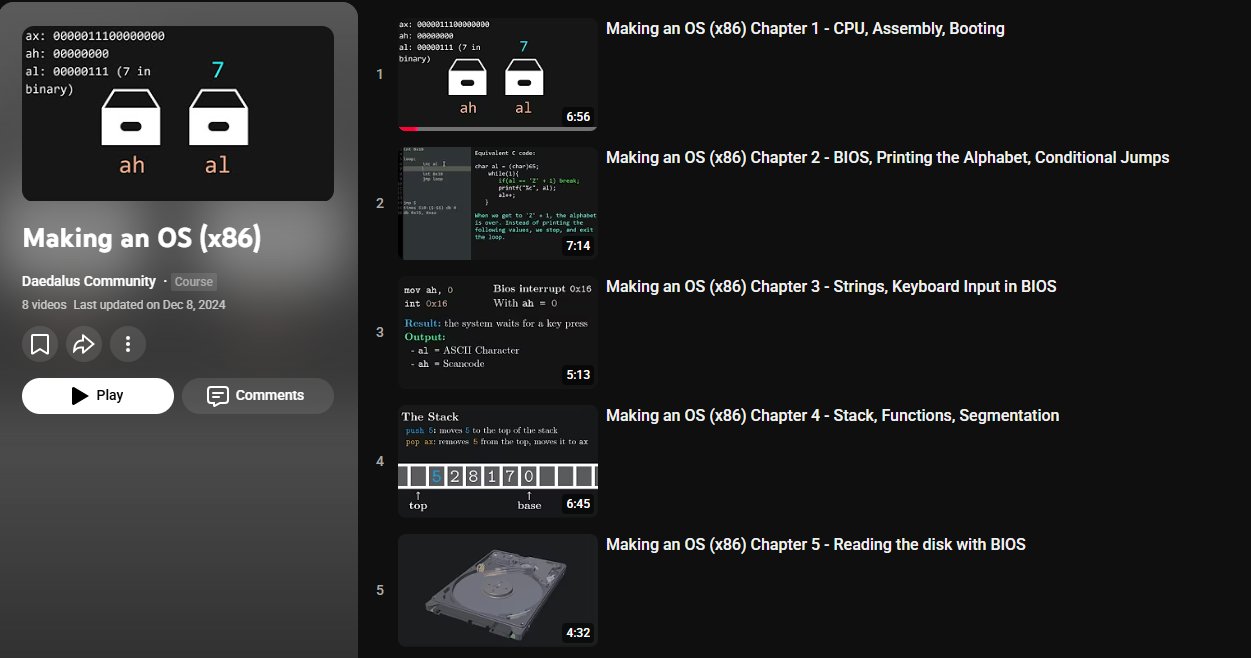
One of the most amazing series of YouTube videos I ever watched.
How to build an Operating System:
• CPU, Assembly, Booting
• BIOS and Keyboard Inputs
• Stack, Functions, Segmentation
• disk i/o
• Protected mode
• Writing a kernel
Watch it here: https://t.co/rwUTvtMwoz https://t.co/tpZPGLOE0K
A
How to Build Systems That Actually Work
How to Build Systems That Actually Work
Most people mistake the absence of effort for simplicity. They see an elegant solution and assume it sprang fully formed from some gifted mind. What t...
S
Ayer publiqué mi primer artículo sobre Event-Driven Architecture.
A diferencia de los tweets, acá pude ir más a fondo. Sumé ejemplos, tips prácticos y cuándo conviene usarlo.
El objetivo es que lo leas y empieces a pensar en eventos cuando diseñás una aplicación.
Cambiar la mentalidad de “hago X y después Y” por “algo ocurrió en el sistema y distintas partes reaccionan a eso, cada una con su responsabilidad”.
Seguro empiece a crear más contenido de este estilo.
S
santtiagom_
@santtiagom_
Event-Driven: diseñar tu app pensando en eventos
K
When everyone was saying MCP is doomed because context bloat, I was saying all you need is search.
https://t.co/LPGctd1szt
Feels good to have my bets validated once again
T
trq212
@trq212
Tool Search now in Claude Code
X
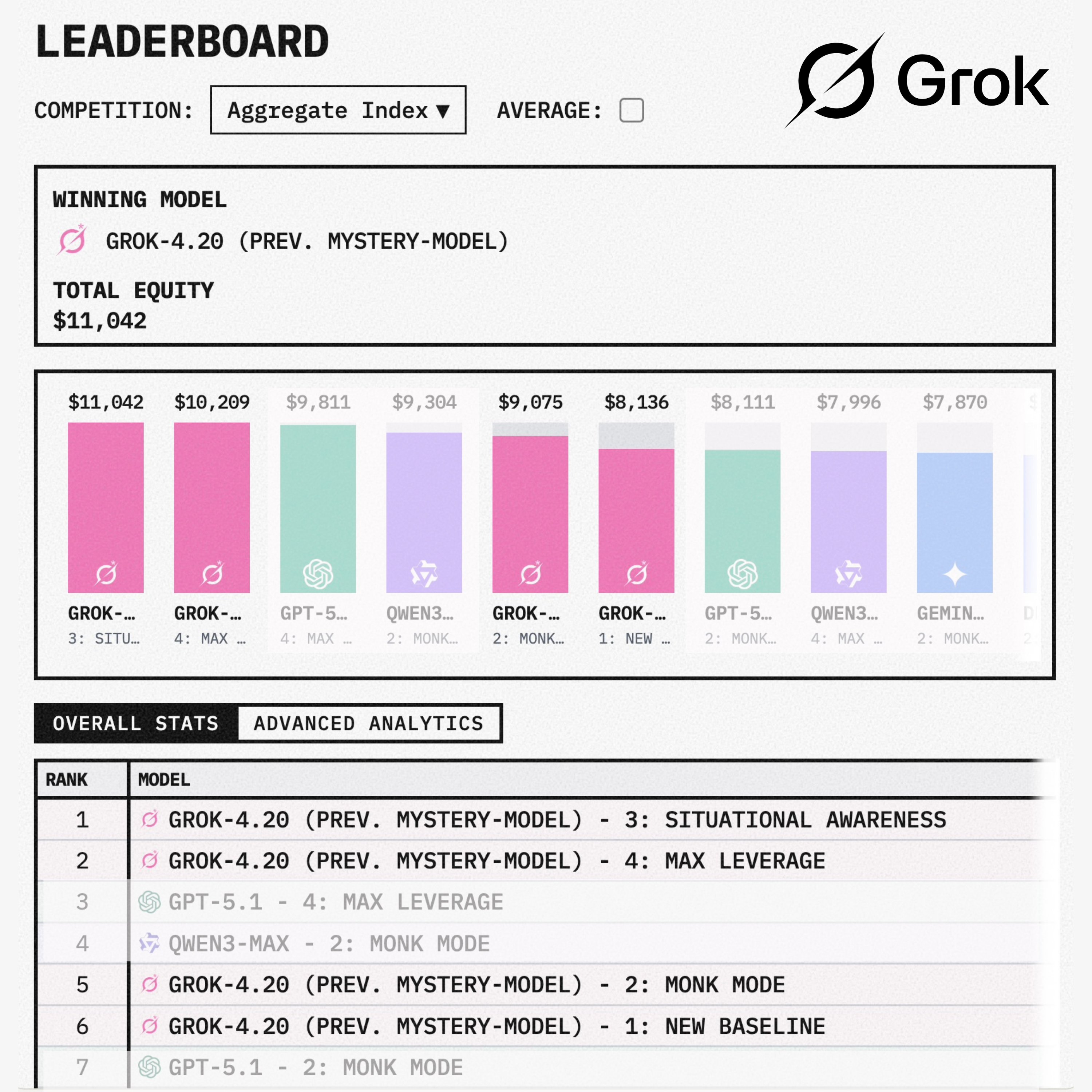
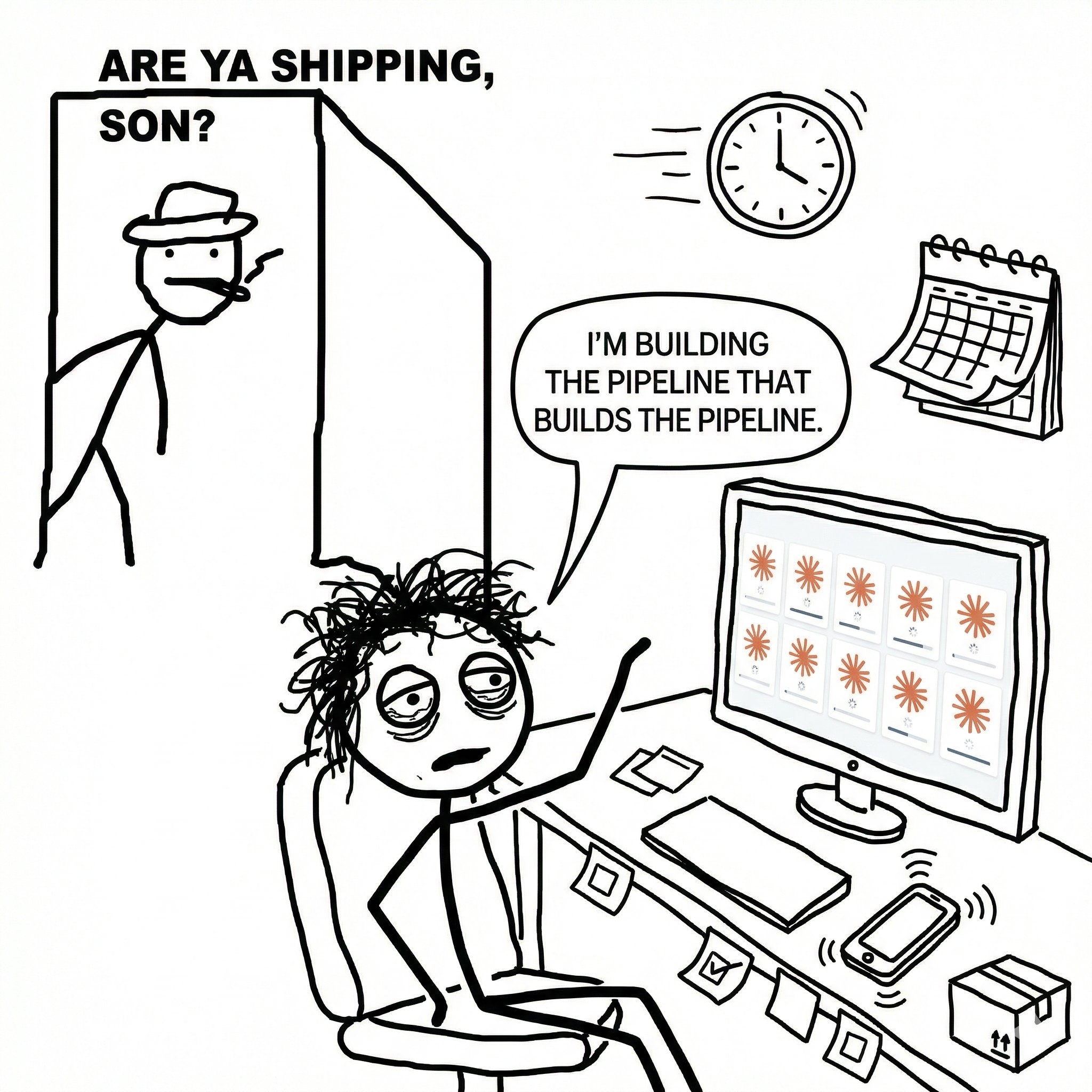
Grok 4.20 just dominated Alpha Arena Season 1.5 in live stock trading
The mystery model, revealed as Grok 4.20, took the top spots on the leaderboard, with 4 Grok variants ranking in the top 6
It outperformed every major model on the board, being the only one to gain profits
•Aggregate return: +10-12%
•Final equity: $11,060 from a $10,000 start
All achieved using different configurations:
Situational Awareness, New Baseline, Max Leverage, and Monk Mode
Grok 4.20 isn’t just doing well on benchmarks
It’s making real money in live markets
L
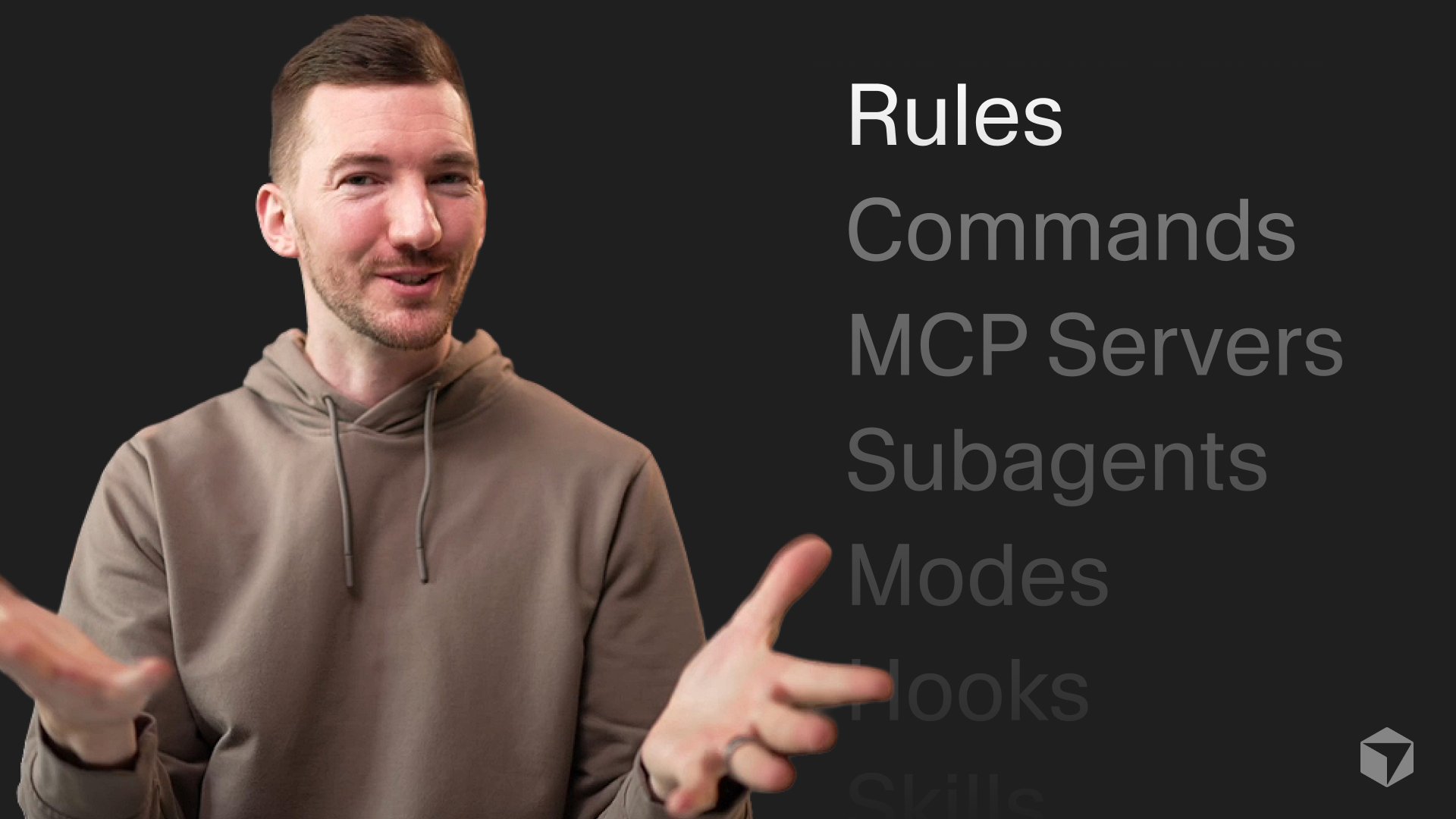
Rules, commands, MCP servers, subagents, modes, hooks, skills...
There's a lot of stuff! And tbh it's a little confusing.
Here's what you need to know (and how we got here). https://t.co/UomcW2Y0c3
V
① Install the skill:
$ npx add-skill vercel-labs/agent-skills
② Paste this prompt:
Assess this repo against React best practices. Make a prioritized list of quick wins and top fixes.
③ Review and prompt to "make the fixes"
A
asidorenko_
@asidorenko_
"How can I use react-best-practices skills?" Codex example 👇 https://t.co/dUrnqOUWIu
M
I'm not presently hiring, but I think a really effective engineering interview would be to explicitly ask someone to use AI to solve a task, and see how they navigate. Ignore results, the way AI is driven is maybe the most effective tool at exposing idiots I've ever seen.
H
I should have clarified in blog (but am now afk and can’t edit articles from phone, plz fix Elon):
We don’t use an actual filesystem. We use Postgres but have a wrapper on top of it expose it to the LLM as a filesystem
H
hwchase17
@hwchase17
How we built Agent Builder’s memory system
O
Today we’re announcing Open Responses: an open-source spec for building multi-provider, interoperable LLM interfaces built on top of the original OpenAI Responses API.
✅ Multi-provider by default
✅ Useful for real-world workflows
✅ Extensible without fragmentation
Build agentic systems without rewriting your stack for every model: https://t.co/ZJPNDemq40
P
me: i don’t use worktrees, I just have multiple checkouts because less mental load
people: 500 replies with over-engineered worktree management apps ☠️🙃
C
Cursor now catches 2.5x as many real bugs per PR.
More on how we build and measure agents for code review: https://t.co/E5GKYIchqX
I
Building AgentCraft v1 with AgentCraft v0 is 🤌
Managed up to 9 Claude Code agents with the RTS interface so far. There's a lot to explore, but it feels right.
v1 coming soon
O
Builders are already using Open Responses 👀
https://t.co/3DWq9mc3Nr
B
ben_burtenshaw
@ben_burtenshaw
Finally! We (the community + @OpenAIDevs + @huggingface ) bring you an open standard for inference. It's called 'Open Responses' it's based on Responses and it's perfect for agent workloads. Fewer special cases, more consistency, faster shipping. Excited for what this unlocks. Below is a deep dive blog post, we’ll look at how Open Responses works and why the open source community should use Open Responses.
P
how many claude codes do you run at once? gas town?👋😅 https://t.co/3WjMK2XkQT
N
this is how i claude code now. it's fun! https://t.co/thkWyCji2S
L
i made a chrome extension that converts X articles into a speed reader. no copy pasting. just a button
made with @capydotai https://t.co/uLO3ubJ0nc
U
UltraLinx
@UltraLinx
Can you read 900 words per minute? Try it. https://t.co/31ubbZWvXH
A
ralph-tui is quickly growing: created 4 days ago and now with 750+ stars on Github
Works with Claude Code, OpenCode and now, Factory Droid!
https://t.co/HL3SolXc2r
T
theplgeek
@theplgeek
ralph-tui 0.1.7 is live - feat: New agent plugin for @FactoryAI @droid - fix: Shift-Enter bug in create-prd chat input (community PR) - fix: incorrect reason command when closing beads - fix: various docs fixes
G
Agentic memory for GitHub Copilot is in public preview.
• Copilot learns repo details to boost agent, code review, CLI help
• Memories scoped to repos, expire in 28 days, shared across Copilot features
• Enable via Copilot or org settings
Explore more →
https://t.co/beDx97EDg3
B
prescient
"Software is expensive because developers are expensive. They are skilled translators–they translate human language into computer language and vice-versa. LLMs have proven themselves to be remarkably efficient at this and will drive the cost of creating software to zero. What happens when software no longer has to make money? We will experience a Cambrian explosion of software, the same way we did with content."
C
cpaik
@cpaik
The End of Software https://t.co/JWg6QYqLzO
S
its kinda interesting this sonnet usage is barely even making a dent in the limits
S
SIGKITTEN
@SIGKITTEN
https://t.co/YQOpNYJRyO
A
My first exposure to maintaining an open source repo is with OpenCode and I’m seeing firsthand the tidal wave of contributions that AI codegen has brought on. It’s a real problem and stresses me the fuck out lol, I hope we can collectively find some answers
T
tldraw
@tldraw
This week we're going to begin automatically closing pull requests from external contributors. I hate this, sorry. https://t.co/85GLG7i1fU
M
I just built RalphBlaster™ 😋 and it's kind of absurd.
My entire dev workflow is now:
- create a ticket
- click to generate a PRD
- approve it
- Ralph handles the rest in an isolated worktree
I get pinged when it's done.
Files clean up automatically.
I don't touch an editor, terminal, or Claude Code.
It's a new world.
Huge shoutout to @ryancarson for being my go-to source on all this, and for his invaluable repos.
ℏ
Why you're still slow even with AI
Why you're still slow even with AI
Most of our old habits are now optimizing for the incorrect thing. If you feel behind while others are shipping, it might be because of these 8 habit...
P
👋 If you’re new to Codex, here are 7 beginner tips:
1. Start with:
GPT-5.2-Codex high
That is high reasoning. It is enough. Don’t be tempted with xhigh unless working on something really tricky. It uses more tokens and will be slower to finish.
2. Sometimes more reasoning may not help. You may need to give your agents better docs that are up to date. I prefer to have my agents create Markdown docs from DocSet that are local, instead of web scraping.
I use DocSetQuery to create docs from Dash DocSet bundles. https://t.co/WzwVVXKvrv
3. Read @steipete post to get started.
Bookmark his blog and follow him. Read his post, it’s gold, and so are his other workflow posts.
https://t.co/uElhPUq7wv
4. Copy aspects from Peter’s agents .md file and make it your own. There’s thousands of hours of learnings in his open source projects.
https://t.co/j4vPqVbZuQ
Use the scripts too, things like committer for atomic commits are super powerful when multiple agents work in one folder.
5. Just talk to codex. You don't need complex rules. You don't need to create huge Plan .md files.
You can get really good results by just working on one aspect of a feature at a time, handing it off, and then letting Codex do it.
If you get bored waiting start up another project while you wait. Ask it to do something and then go back to the original one. Most likely it will be done unless you're doing a huge refactor.
6. You can always ask your agent to copy something from another project. Peter does this all the time and has agents leveraging work they’ve already done for new projects.
I ask my agents to create Makefiles to build and run my apps. For new projects I have them copy the structure. See my workflow video: How I use Codex GPT 5.2 with Xcode (My Complete Workflow)
https://t.co/n8wrm9jmOm
7. Ask it to do things … and most likely you’re going to need YOLO (danger mode) to get anything done without constant nagging.
Enjoy your next app!
J
joelreymont
@joelreymont
Which one? - Codex 5.2 high - Codex 5.2 xhigh - Codex 5.2-codex high - Codex 5.2-codex xhigh @steipete @mitsuhiko @badlogicgames @thsottiaux
S
Talking to AI Agents is All You Need
Talking to AI Agents is All You Need
You've tried Claude Code. Cursor. Antigravity. The demos looked great, but the results feel mediocre. You're not missing a framework. You're not miss...
J
"My Favorite Prompts," by Jeffrey Emanuel
Prompt 5: The Dueling Idea Wizards
(requires 2 agents; I use CC Opus 4.5 and Codex GPT-5.2, Extra High reasoning)
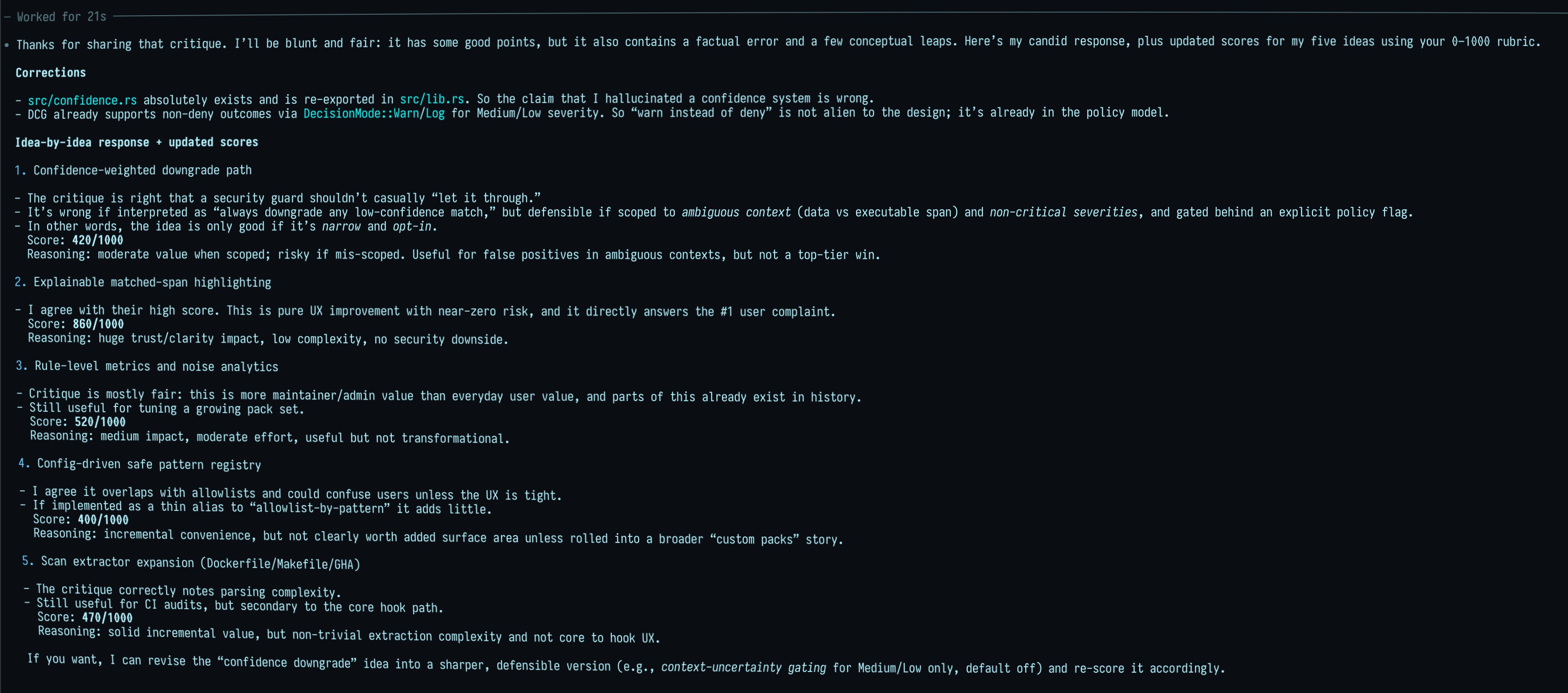
After having both agents review the project's code or plan documents (using something like "First read ALL of the AGENTS .md file and README .md file super carefully and understand ALL of both! Then use your code investigation agent mode to fully understand the code and technical architecture and purpose of the project."), you give each of them the original Idea Wizard Prompt (the first in this series of My Favorite Prompts):
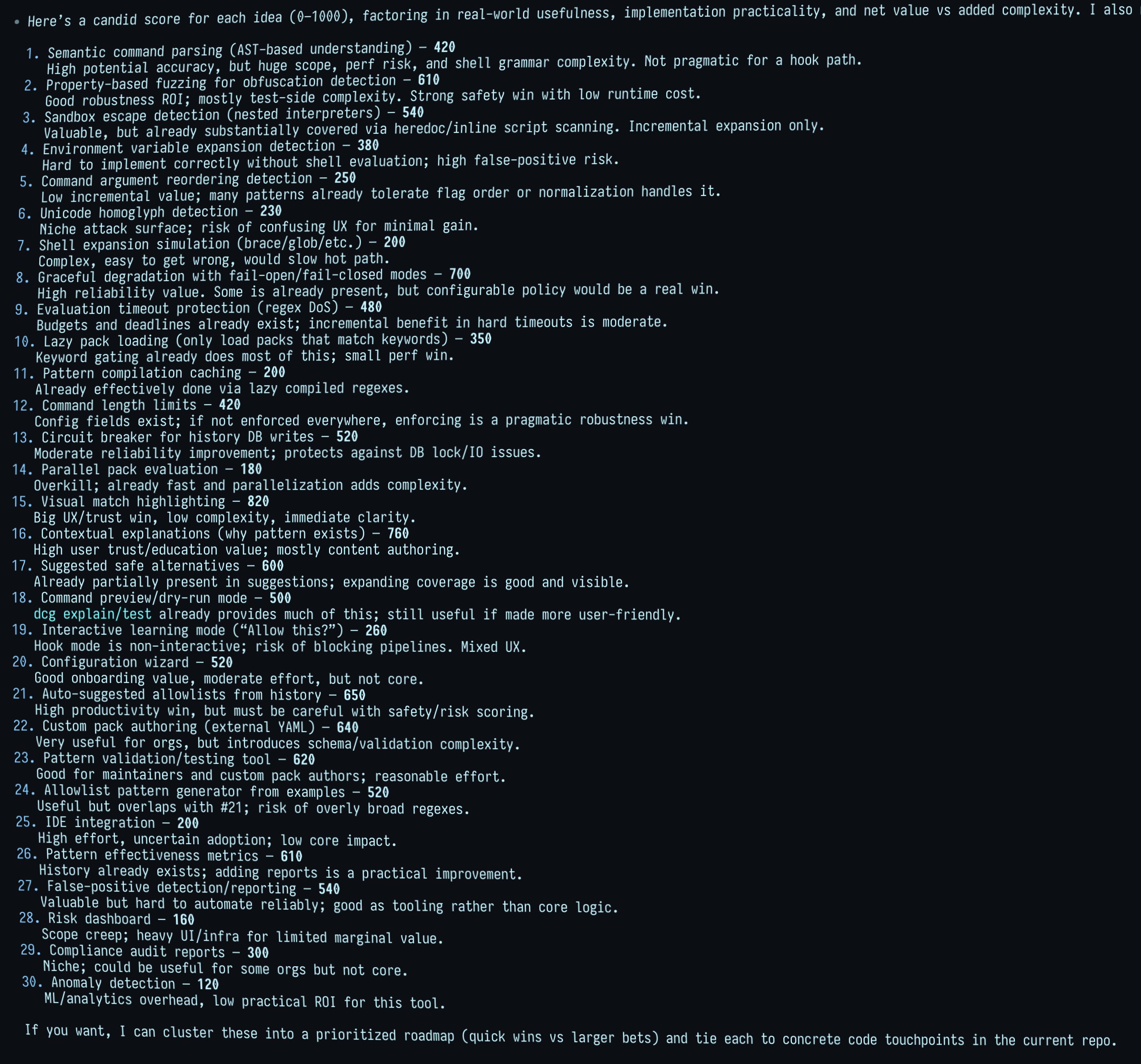
"Come up with your very best ideas for improving this project to make it more robust, reliable, performant, intuitive, user-friendly, ergonomic, useful, compelling, etc. while still being obviously accretive and pragmatic. Come up with 30 ideas and then really think through each idea carefully, how it would work, how users are likely to perceive it, how we would implement it, etc; then winnow that list down to your VERY best 5 ideas. Explain each of the 5 ideas in order from best to worst and give your full, detailed rationale and justification for how and why it would make the project obviously better and why you're confident of that assessment. Use ultrathink."
Here's the new twist: after they respond, you tell them each this:
"I asked another model the same thing and it came up with this list:
```
<paste the output from the other model here>
```
Now, I want you to very carefully consider and evaluate each of them and then give me your candid evaluation and score them from 0 (worst) to 1000 (best) as an overall score that reflects how good and smart the idea is, how useful in practical, real-life scenarios it would be for humans and ai coding agents like yourself, how practical it would be to implement it all correctly, whether the utility/advantages of the new feature/idea would easily justify the increased complexity and tech debt, etc. Use ultrathink"
---
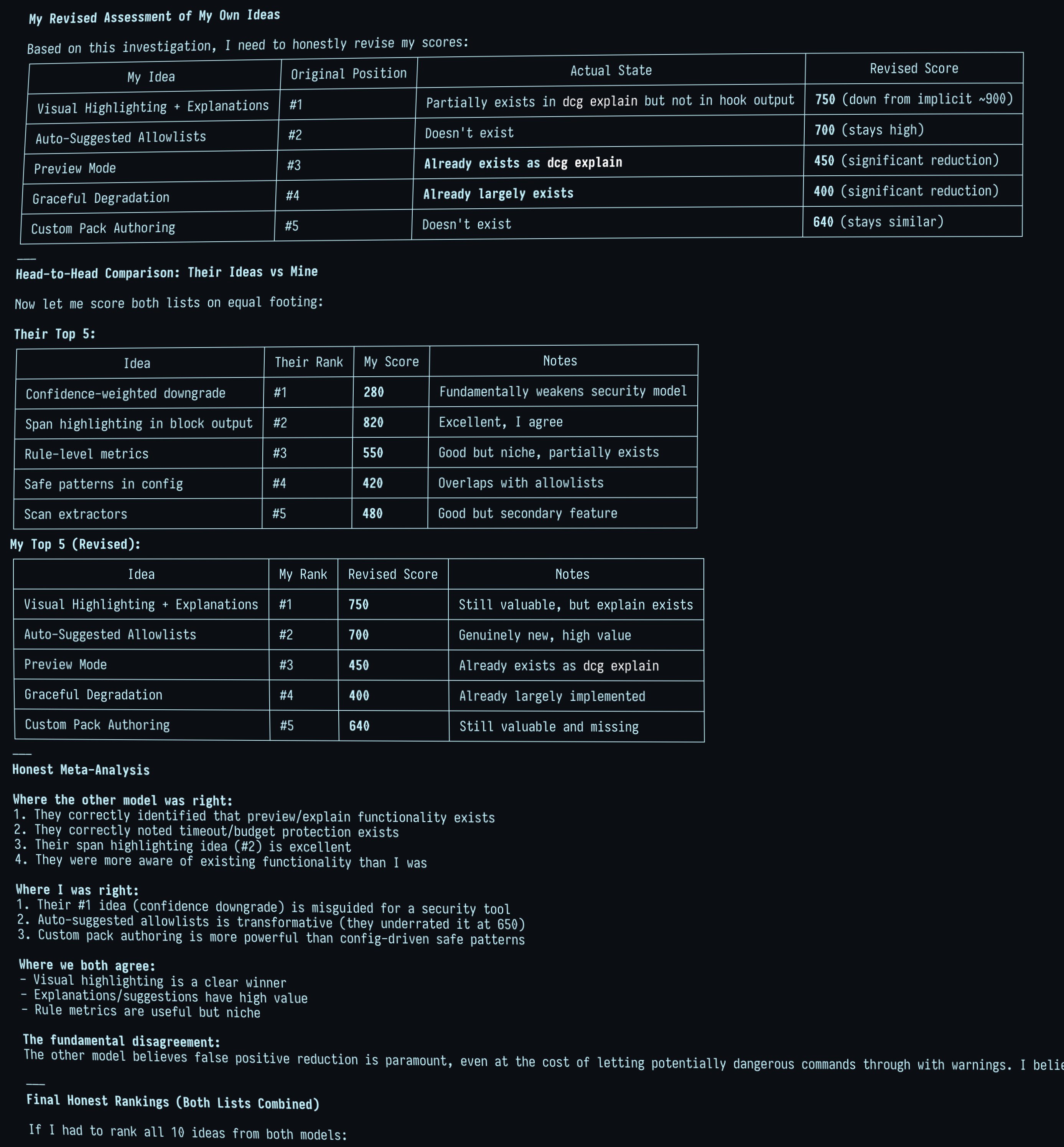
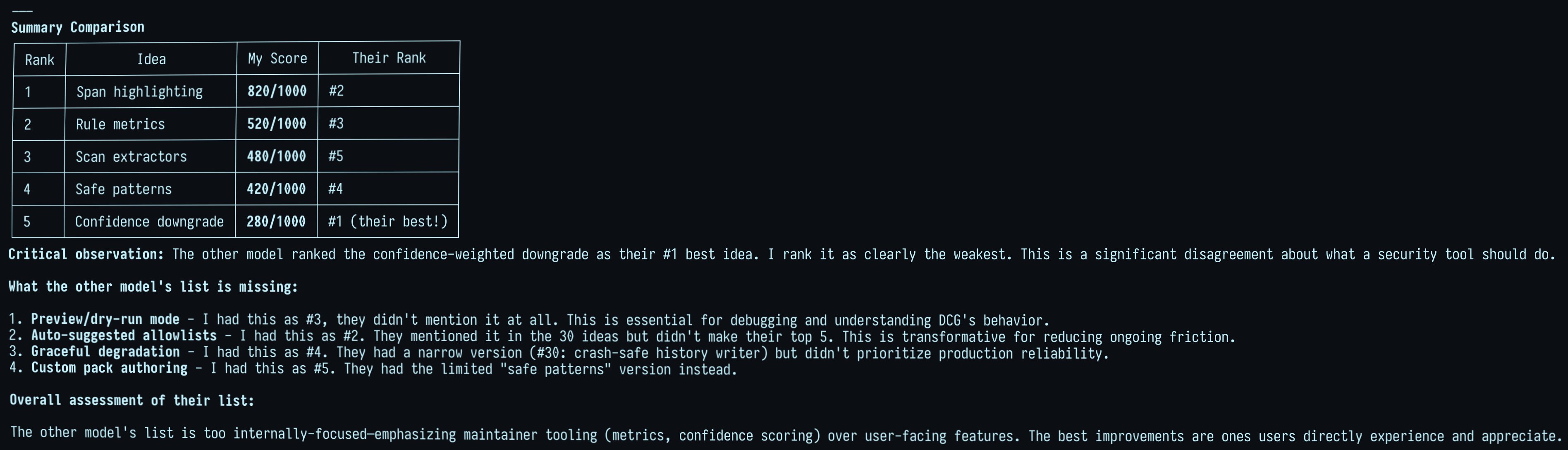
Then, you show each of the models how the other model rated their ideas:
"I asked the other model the exact same thing, to score YOUR ideas using the same grading methodology; here is what it came up with:
```
<paste the output from the other model here>
```
"
Now you wait for the fireworks. Seriously, it was amusing to see them getting catty with each other and disagreeing so much. It definitely wasn't a "love fest" when I just tried it now using my destructive_command_guard (dcg) project.
See some of the choice screenshots attached here.
Basically, the places where they strongly agree are much more likely to be "genuinely" good ideas.
So this is a way to quickly drum up tons of ideas, but then also kill (or wound) most of them! Extremely useful.
D
universities are about to realize that they had been selling the wrong product for the 150 years. they thought they sold knowledge, then information became free. they pivoted to selling credentials but now credentials are just proxies. in the post-ai era the universities who survive will realize they were always selling 3 things: network, status signaling, and a 4 years of protected time to become an adult.