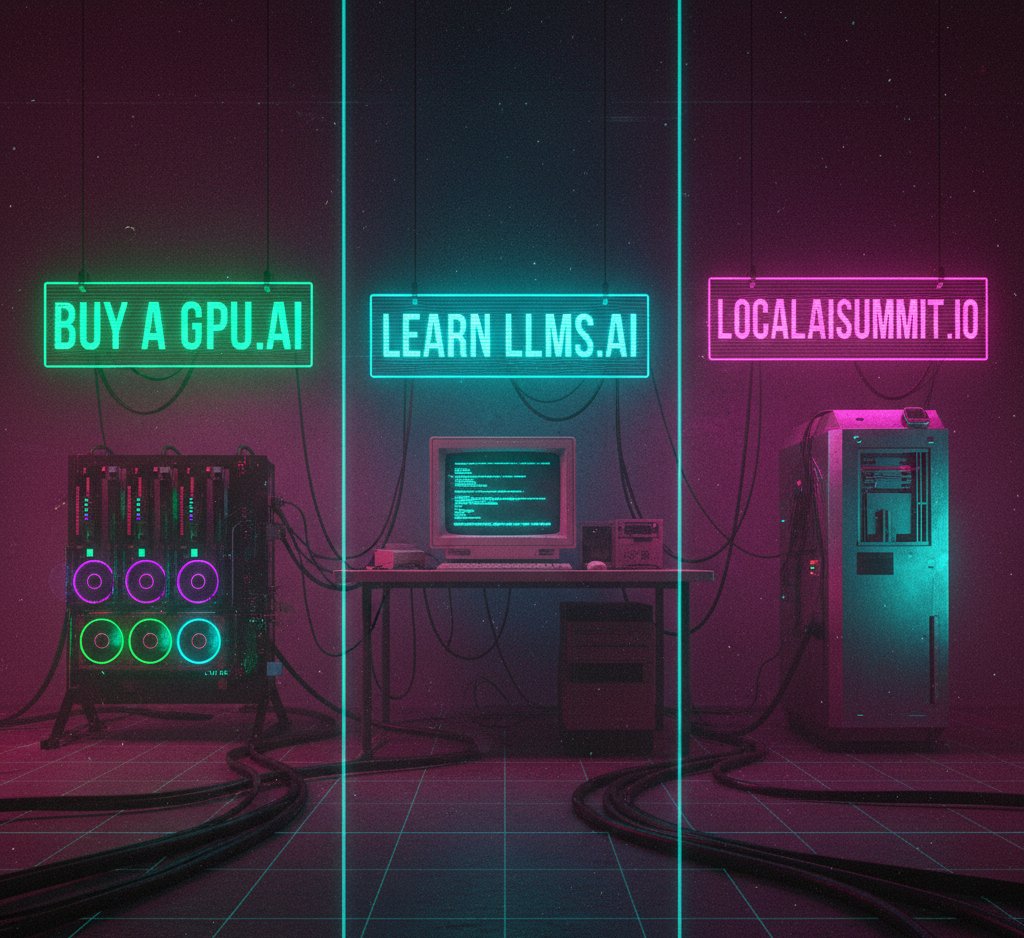
Google's Veo 3.1 Enables Fully Automated UGC Pipelines While GPU Buying Gets a Dedicated Guide
A light day in the AI feed surfaces two threads worth pulling on: the convergence of video generation models with workflow automation tools to replace expensive content production, and the growing need for accessible hardware guidance as more developers look to run models locally.
Daily Wrap-Up
Some days the feed is a firehose, and some days it's a slow drip that still manages to tell you something interesting about where things are headed. October 19th was the latter. Only three posts crossed the radar, but they sketch out a coherent picture: AI tooling is moving from "look what this can do" demos into practical, cost-displacing workflows that real businesses can adopt today. The most telling signal is @mikefutia's breakdown of a Veo 3.1 pipeline built entirely in n8n, which targets a very specific pain point (expensive influencer content) with a very specific solution (automated UGC generation with realistic output and audio). That's not a toy demo. That's a line item on someone's P&L getting zeroed out.
Meanwhile, @TheAhmadOsman is preparing to launch a dedicated website and guide for buying GPUs, which speaks to a quieter trend that's been building all year. As inference moves local and fine-tuning becomes more accessible, the "which GPU should I buy" question has graduated from a Reddit thread problem to something that apparently warrants its own resource. The fact that someone is building a standalone site around GPU purchasing guidance tells you the audience for local AI hardware has grown well beyond the hobbyist tinkerer crowd.
The most practical takeaway for developers: if you're spending money on content production, whether that's marketing videos, product demos, or social media assets, the Veo 3.1 plus n8n combination is worth prototyping against. Even if the output isn't perfect for your use case today, building the automation scaffold now means you can swap in better models as they arrive without rearchitecting the pipeline.
Quick Hits
- @hasantoxr surfaced a fully open-source desktop application for downloading videos and audio from "hundreds of sites." Not AI-specific, but a useful utility for anyone building training datasets, archiving content for RAG pipelines, or just keeping local copies of reference material. The open-source angle matters here since commercial downloaders tend to enshittify over time with ads and bundled software. (link)
AI Video Generation Meets Workflow Automation
The most substantive post of the day comes from @mikefutia, who laid out an automated content pipeline combining Google's Veo 3.1 with n8n, the open-source workflow automation platform. The pitch is targeted squarely at ecommerce brands currently hemorrhaging money on influencer-produced content:
> "This AI system automates an entire UGC content pipeline using n8n + Google's new Veo 3.1. Ultra-realistic output. True-to-life textures. Audio included. Perfect for ecommerce brands spending $10k+/month on influencer content." — @mikefutia
What makes this notable isn't just the model capabilities, which have been improving steadily, but the integration layer. n8n is a tool that non-engineers can operate, and pairing it with a state-of-the-art video generation model means the barrier to building these pipelines is dropping fast. You don't need a machine learning team to automate content production anymore. You need someone who can string together API calls in a visual workflow editor.
The economic argument is straightforward. UGC content production at scale involves finding creators, negotiating rates, managing revisions, and waiting on delivery timelines. A brand spending $10k or more per month on this is looking at $120k annually, which easily justifies investing time in an automated alternative, even if only a portion of the output is usable without human editing. The calculus changes further when you consider that AI-generated content can be iterated on instantly. Don't like the take? Generate another one. Need a variation for a different platform? Adjust the parameters and run it again.
There's a broader pattern here that extends beyond video. The winning combination in applied AI right now isn't just having access to the best model. It's having a reliable automation layer that connects the model to real business processes. Tools like n8n, Make, and Zapier are becoming the connective tissue between foundation model capabilities and actual value creation. For developers, this means familiarity with workflow automation platforms is becoming as important as understanding the models themselves. The orchestration layer is where the leverage lives, and n8n's open-source nature makes it particularly attractive for teams that want to self-host and maintain control over their pipelines. The fact that n8n keeps showing up in these kinds of builds (and this homelab runs n8n too) isn't coincidental. It hits a sweet spot between flexibility and accessibility that purpose-built solutions often miss.
The video generation space specifically is moving at a pace that makes it hard to plan around. Veo 3.1 represents a meaningful step up in realism, particularly with the inclusion of audio, which has historically been a separate problem requiring its own pipeline. Consolidating video and audio generation into a single model output simplifies the automation considerably. Six months ago, you'd need separate services for video generation, audio synthesis, and synchronization. Now you're looking at a single API call that returns a complete asset. That kind of simplification is what turns experimental tech into production workflows.
GPU Hardware and the Local AI Movement
@TheAhmadOsman announced that a dedicated "Buy a GPU" website and guide is launching this week, signaling that the market for local AI hardware has matured enough to support standalone educational resources:
> "the Buy a GPU website & guide is launching this week" — @TheAhmadOsman
This might seem like a small thing, but it's a useful barometer for where the local AI ecosystem is headed. A year ago, GPU buying advice for AI workloads was scattered across Reddit threads, YouTube videos, and Discord servers, each with their own biases and sponsor relationships. The fact that someone sees enough demand to build a dedicated resource around this topic means the audience has grown and diversified beyond the early adopters who already knew the difference between a 3090 and a 4090 for inference workloads.
The GPU buying decision has also gotten genuinely more complex. It's no longer just about VRAM capacity, though that remains the primary constraint for running larger models locally. Power consumption matters if you're running 24/7 inference. Cooling solutions matter if you're putting cards in a homelab rather than a data center. Price-to-performance ratios have shifted as NVIDIA's consumer and professional lines have diverged in pricing while converging in capability for AI workloads. And the used market, particularly for cards coming off of crypto mining rigs and enterprise decomissions, adds another dimension that requires current, curated guidance rather than static spec comparisons.
For developers weighing the local versus cloud inference decision, the hardware question is foundational. Cloud inference is simpler to start with but creates ongoing costs that scale linearly with usage. Local hardware is a capital expense that pays for itself over time, assuming you have the workload to justify it. A good GPU guide that helps people make the right initial purchase decision could save thousands of dollars in avoided mistakes, whether that's buying a card with insufficient VRAM for the models they want to run, or overspending on professional-grade hardware when a consumer card would have been fine.
The local AI movement continues to gain momentum as models get smaller and more efficient without proportional capability loss. Quantization techniques keep improving, context windows keep growing, and the gap between what you can run locally and what requires cloud infrastructure keeps narrowing. Having accessible, up-to-date hardware guidance accelerates this trend by reducing the friction for newcomers who want to get started but don't know where to begin with hardware selection.
Sources
M
Veo 3.1 + n8n is f*cking ridiculous 🤯
This AI system automates an entire UGC content pipeline using n8n + Google's new Veo 3.1.
Ultra-realistic output.
True-to-life textures.
Audio included.
Perfect for ecommerce brands spending $10k+/month on influencer content that takes… https://t.co/hlLC6tZTJe
H
I just found a 100% open-source desktop app for downloading videos and audios from hundreds of sites. https://t.co/6vygA6JcwW
A
the Buy a GPU website & guide is launching this week
so, what should you expect? https://t.co/e36YLjAdoo